Mastering KDP Interiors: A Complete Guide to Creating Editable Lesson Planning Journals
In the expanding world of self-publishing, Amazon Kindle Direct Publishing (KDP) has opened doors for creators to monetize their organizational skills and educational expertise. Among the most profitable and enduring niches within low-content publishing is the lesson planning journal. Unlike generic notebooks, these functional tools serve a specific professional need for educators, tutors, homeschool parents, and corporate trainers. However, success in this niche requires more than just uploading a blank grid; it demands a deep understanding of technical specifications, user experience, and file management.
This guide explores the foundational elements of creating a high-quality KDP interiors lesson planning journal. We will dissect the specific dimensions, page counts, bleed settings, and file formats necessary to produce a professional-grade product. More importantly, we will discuss why editability is the cornerstone of a sustainable publishing business in this sector.
The Strategic Purpose of Lesson Planning Journals on KDP
To create a successful interior, one must first understand the end-user. A lesson planning journal is not merely a place to write; it is a workflow management tool. Teachers operate in high-pressure environments where organization directly correlates to classroom success. When designing for KDP, you are solving a problem: the need for structured, portable, and aesthetically pleasing lesson tracking.
Modern educators often juggle digital grade books with analog planning. While apps exist, many professionals prefer the tactile cognitive benefit of handwriting plans. Your KDP interior bridges this gap. It offers the structure of software with the flexibility of paper. By focusing on this hybrid utility, your product moves beyond a simple commodity and becomes an essential professional accessory. This relevance ensures longevity in a market that can sometimes be saturated with low-effort designs.
Technical Specifications: Dimensions and Volume
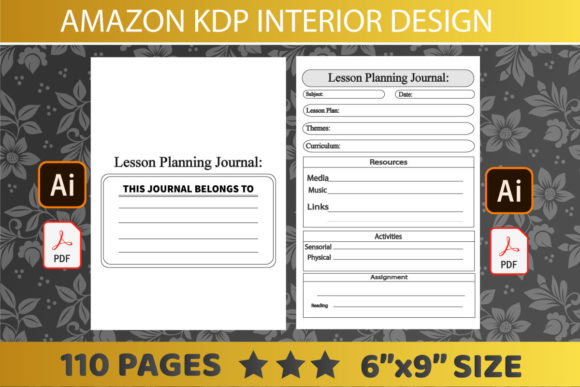
Precision is non-negotiable in print-on-demand. For lesson planning journals, the industry standard and most versatile size is 6″ x 9″ inches. This trim size is significant for several reasons. First, it is portable enough to fit in a teacher’s tote bag or laptop sleeve alongside other essentials. Second, it provides sufficient surface area for detailed daily planning without becoming cumbersome on a desk. Third, 6x9 is a cost-effective size for printing, allowing for competitive pricing while maintaining healthy royalty margins.
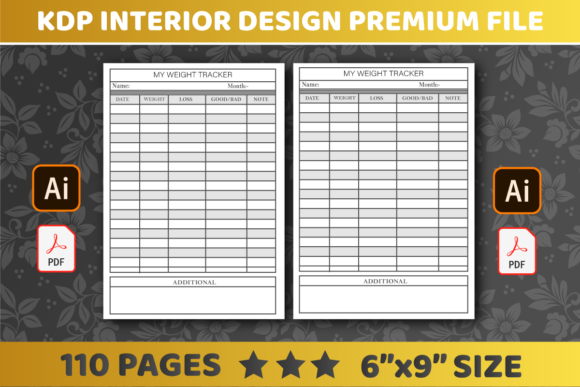
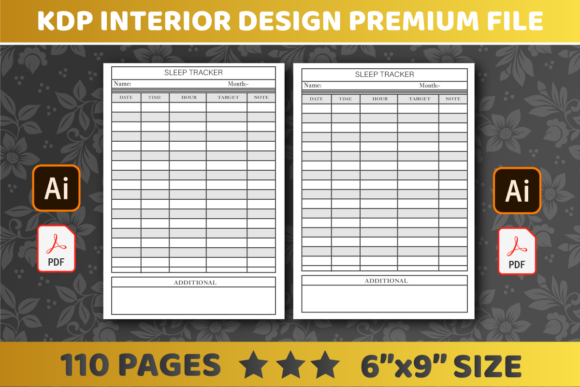
Regarding volume, the optimal configuration for this specific niche is 110 pages. This count is deliberate. A standard school semester lasts roughly 18 to 20 weeks. With a two-page spread per week or per subject block, 110 pages provides adequate coverage for a full academic term without adding excessive spine width or cost. This "Goldilocks" length feels substantial enough to be valuable but light enough to remain user-friendly throughout the day.
Understanding the Two-Page Spread Layout
The requirement for 2 pages refers to the layout logic rather than the total page count. Effective lesson planners utilize a two-page spread system. The left page typically handles macro-planning (weekly goals, standards, materials needed), while the right page focuses on micro-execution (daily breakdowns, reflection notes, student observations).
This dual-page approach mimics how educators think. They need to see the forest and the trees simultaneously. When designing your KDP interior, ensure that margins account for the gutter—the inner binding space. On a 6x9 book, failing to leave adequate gutter margin on the two-page spread will result in content disappearing into the spine, rendering the planner unusable. Always design with the physical binding constraints in mind.
Navigating Bleed vs. No Bleed Settings
One of the most common technical hurdles for KDP creators is understanding bleed. For lesson planning journals, selecting No Bleed is often the superior strategic choice. Bleed refers to artwork or background colors that extend beyond the edge of the page, requiring trimming during production. While bleed allows for full-page color backgrounds, it introduces complexity and potential printing errors.
Choosing the "No Bleed" setting means all content must stay within a defined safe zone. For functional interiors like lesson planners, this is actually a benefit. Teachers need clean, high-contrast writing spaces. Heavy ink coverage from full-bleed backgrounds can sometimes cause paper curl or bleed-through, especially on standard KDP white paper. A no-bleed design ensures crisp lines, consistent margins, and a professional appearance that prioritizes writability over decorative excess.
Furthermore, no-bleed files are easier to validate and less prone to rejection during the KDP review process. For beginners and experienced publishers alike, this setting reduces friction and speeds up time-to-market.
File Formats: PDF, AI, and the Importance of Vector Graphics
The quality of your final printed book depends entirely on the source files. While KDP ultimately requires a PDF for upload, the format in which you create and store your master files dictates your long-term viability. You should always maintain editable source files, specifically in AI (Adobe Illustrator) or similar vector-based software.
Why PDF is the Delivery Standard
PDF is the universal language of print. It locks in fonts, line weights, and positioning. When you export your lesson planner as a PDF, you ensure that what you see on screen is exactly what prints on paper. Always use PDF/X-1a or high-quality print presets to ensure compatibility with Amazon’s printing presses.
Why AI Files Are Essential for Business
Relying solely on flattened PDFs is a critical business mistake. Vector files (AI, EPS, SVG) allow you to scale elements infinitely without pixelation. More importantly, they keep text and shapes editable. If Amazon changes their margin requirements next year, or if customers request a modified layout, an AI file allows you to make adjustments in minutes. A flattened PDF would require rebuilding the entire interior from scratch.
The Power of Editable Interiors
The specification "You can Easily Edit" is perhaps the most valuable feature for a KDP publisher. In the context of lesson planning journals, editability serves three distinct purposes:
- Market Responsiveness: Educational standards change. State curriculums evolve. If a new teaching framework becomes popular, an editable template allows you to update your interior headers and prompts instantly to match current trends.
- Product Line Expansion: An editable master file enables rapid variation. You can take a single 6x9 lesson planner template and quickly adapt it for music teachers, special education specialists, or corporate trainers by simply changing terminology and section headers.
- Error Correction: Mistakes happen. Finding a typo or a misaligned grid after publication is frustrating. Editable source files turn a catastrophic reprint situation into a five-minute fix.
Never treat your KDP interior as a static artifact. Treat it as a living asset that grows with your business.
Common Misunderstandings in Low-Content Publishing
Many aspiring publishers assume that "low content" means "low effort." This is a dangerous misconception, particularly in the education niche. Teachers are discerning buyers. They can spot a generic, poorly formatted template immediately. Another common assumption is that more pages equal higher value. As discussed, 110 pages is often superior to 200 pages for this specific use case because it aligns with the academic calendar and physical portability needs.
Additionally, some creators believe that complex graphics sell books. In reality, whitespace sells planners. Educators need room to think and write. Over-designing the interior reduces functionality. The best KDP interiors for lesson planning are those that get out of the user's way, providing just enough structure to guide without restricting creativity.
Integrating Technology and Tradition
While KDP produces physical books, the creation process is deeply technological. Leveraging modern design software allows for precision that hand-drawn layouts cannot match. However, the output serves an analog purpose. This intersection is where the magic happens. By using digital tools to create perfectly aligned, editable, and technically precise interiors, you facilitate a traditional, screen-free planning experience for the end-user.
As you develop your lesson planning journal, remember that you are building a bridge between digital efficiency and tactile mindfulness. Adhering to the 6x9 dimension, utilizing 110 pages with no bleed, and maintaining editable AI source files are not just technical requirements—they are the pillars of a respectful, useful, and commercially viable product for the educational community.